The business's home
The first page of every business, with your roles, the locations you can reach and the sections you can use.
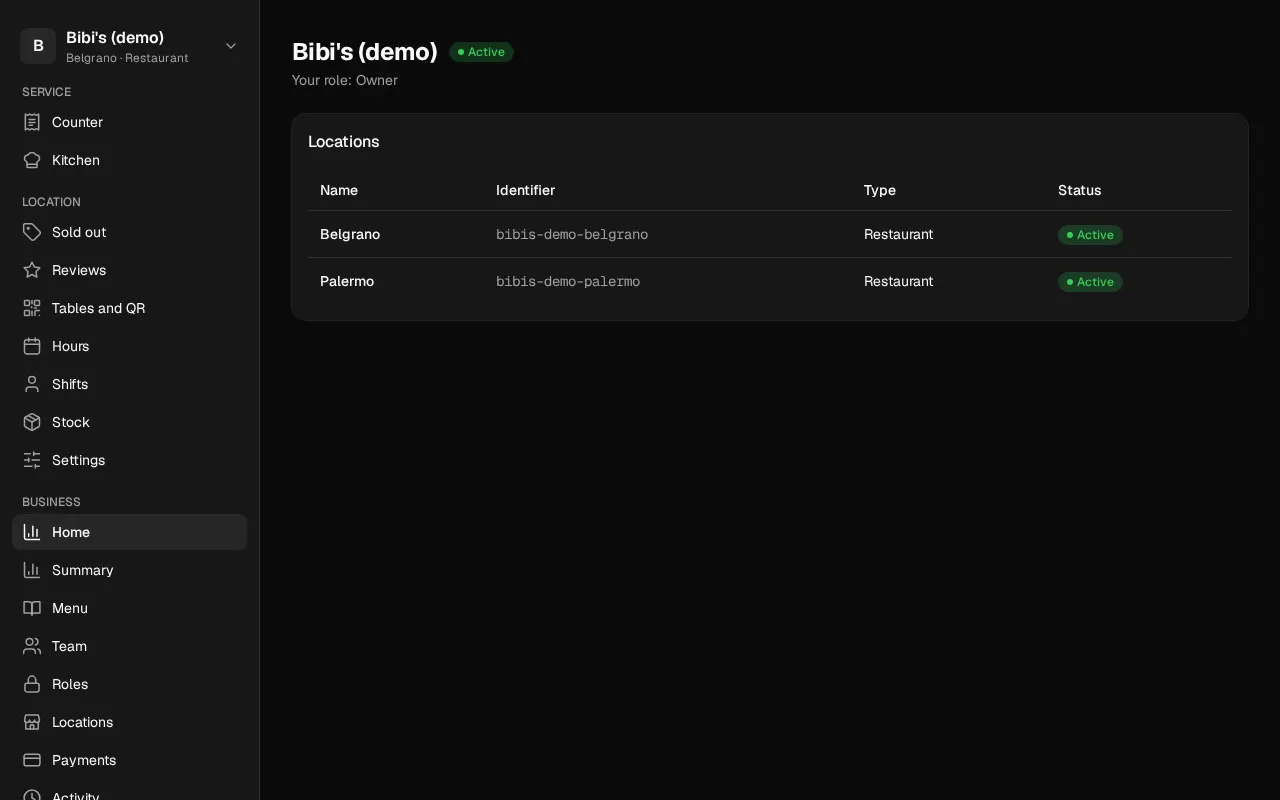
When you enter a business, you see its Home: its name, its status, your roles and the locations you can reach, each with its name, identifier, type and status.
Who can: everyone in the business, with any role.
The sidebar
On the left (on a phone, in the navigation menu at the top right) are the sections. Each person sees the ones their role allows:
| Section | Who sees it |
|---|---|
| Home | Everyone |
| Team | The owner and the admins |
| Menu | Every Restoman role, and custom roles with "Product catalog: View" |
| Locations | Everyone (each person, the locations where they work) |
| Roles | The owner, the admins and the accountants |
| Payments | The owner, the admins and the accountants |
| Activity | The owner, the admins and the accountants |
At the bottom are your name, Help, which opens the guide for the screen you're on in a new tab, My account and Sign out.
Notices at the top of the page
- This business is suspended: you can see everything, but you can't change anything. Until Restoman reactivates it, nobody in the business can make changes.
- You're viewing Restoman as… (Restoman support). Someone from Restoman support is viewing your account to help you. Everything they do is recorded in the business's activity.
Notices on the home
Two notices can show at the top of the home, and they go away by themselves once what they say is solved:
- There are 2 paid orders not printed at Palermo. One per location, when paid orders have gone more than 5 minutes without printing, with how long the oldest has waited. Whoever can see that location's orders sees it. Open the counter opens that location's counter screen, which prints them.
- Confirm the Mercado Pago account. After the business is transferred, until the new owner confirms the account someone else connected or connects their own. The owner, the admins and the accountants see it. Go to Payments takes you to Payments.
If you don't see any location, you haven't been assigned to one yet: ask whoever runs the business.